

RONIN
Virtual Labs
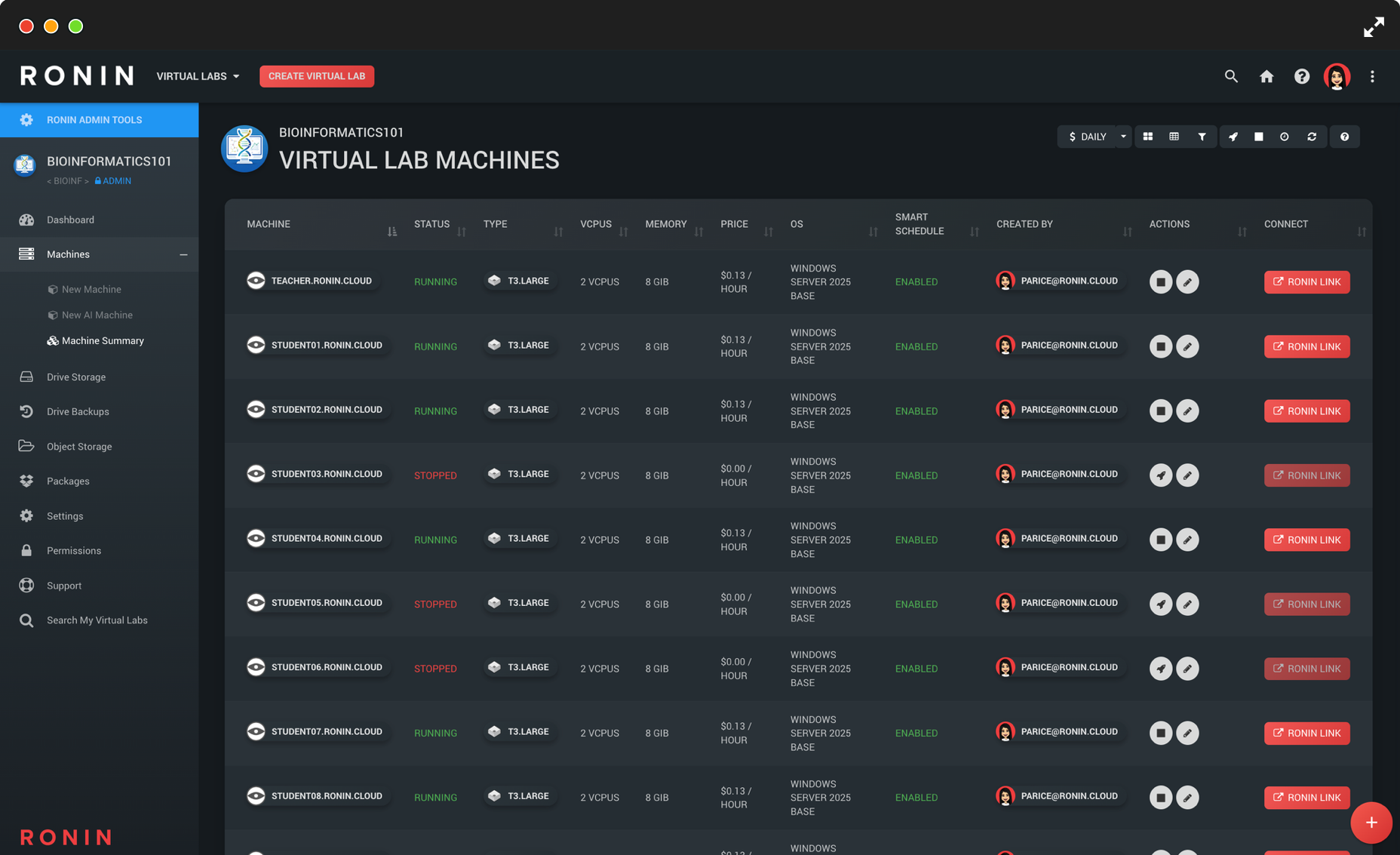
RONIN makes it simple to design, deploy, and manage Virtual Labs in the cloud. Through an intuitive UI and our free desktop application RONIN LINK, educators and students can effortlessly launch and connect to tools like RStudio, Jupyter Notebooks, and full virtual desktops in just a few clicks.
Flexible teaching models let you run professor-managed classrooms (a single project for the entire class) or student-managed classrooms (one project per student) with predefined budgets and guardrails. Built-in cost controls like smart scheduling, budget alerts, and auto-pause prevent runaway spend, while machine packaging lets you template once and deploy consistent environments to every student at scale.
-
What are RONIN Virtual Labs?
RONIN Virtual Labs let educators create custom teaching environments in the cloud (OS, software, datasets, and course materials) and replicate them for student use. Students can connect to their pre-configured workspaces from anywhere, without being limited to on-campus lab hardware.
-
Do we need cloud expertise to run a virtual classroom?
No. RONIN is designed to remove cloud complexity so you can provision secure Virtual Labs without needing cloud architects. Educators and students can deploy and connect to applications like RStudio, Jupyter Notebooks, and full virtual desktops through an intuitive interface and RONIN LINK.
-
What classroom models does RONIN support?
RONIN supports both professor-managed and student-managed approaches. In professor-managed classrooms, a single project is created for the class and students are only given what they need to connect to their provisioned resources. In student-managed classrooms, each student has their own project with budgets and permissions, enabling hands-on cloud experience within university-defined guardrails.
-
How do we prevent runaway cloud spend?
RONIN includes cost management safeguards designed for teaching. Use smart scheduling so machines only run during class times, configure budget alerts at key thresholds, and set auto-pause so projects automatically stop resources when approaching budget limits.
-
How do we ensure every student gets the same environment?
Use RONIN machine packaging to build a single template environment. Install required software, configure settings, and load datasets once, then package it so each student can launch an isolated clone of the exact same setup, eliminating “it works on my machine” issues.
-
Can students access high-performance compute (including GPUs) from home?
Yes. By running Virtual Labs on AWS, students are no longer constrained by physical lab hardware. You can provide access to a wide range of instance types, including high-memory machines and GPU instances for data science and machine learning courses, all accessible from personal laptops.